

Many people have had their social media accounts, including WhatsApp accounts, hacked in the past. However, adding a few security layers to your WhatsApp account will safeguard you from such a horrible experience.
Here is a quick guide on how to enable WhatsApp two-step verification.
- Open WhatsApp: Launch the WhatsApp application on your mobile device.
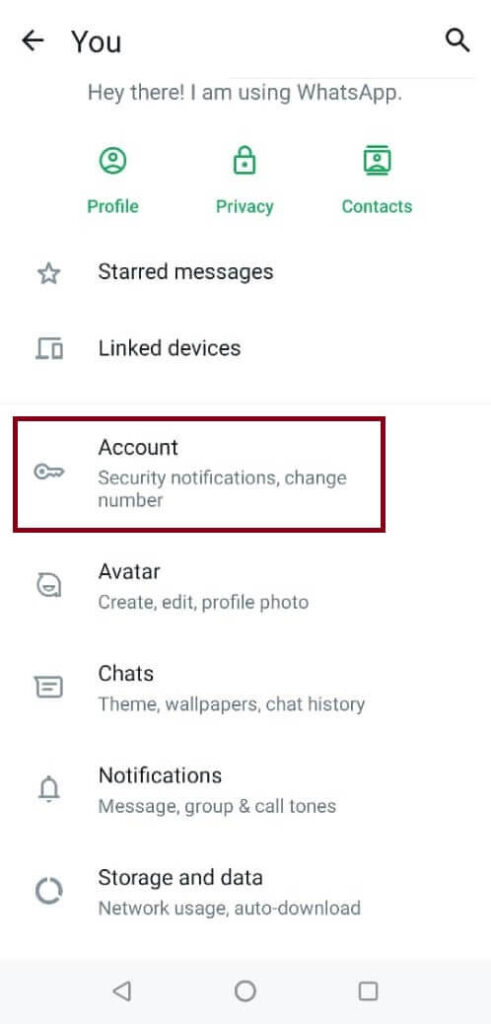
- Tap on the profile icon located at the top-right corner of the screen to see profile settings, like the image below.

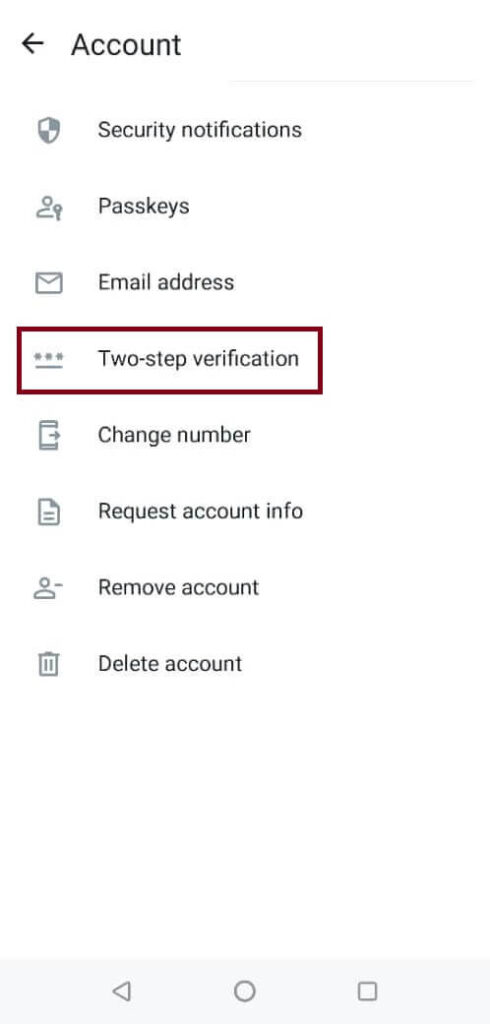
- Click Account to access account settings.
- Select “Two-step verification”: In the Account settings, select “Two-step verification” or “Security.” This option may vary depending on your device and WhatsApp version.

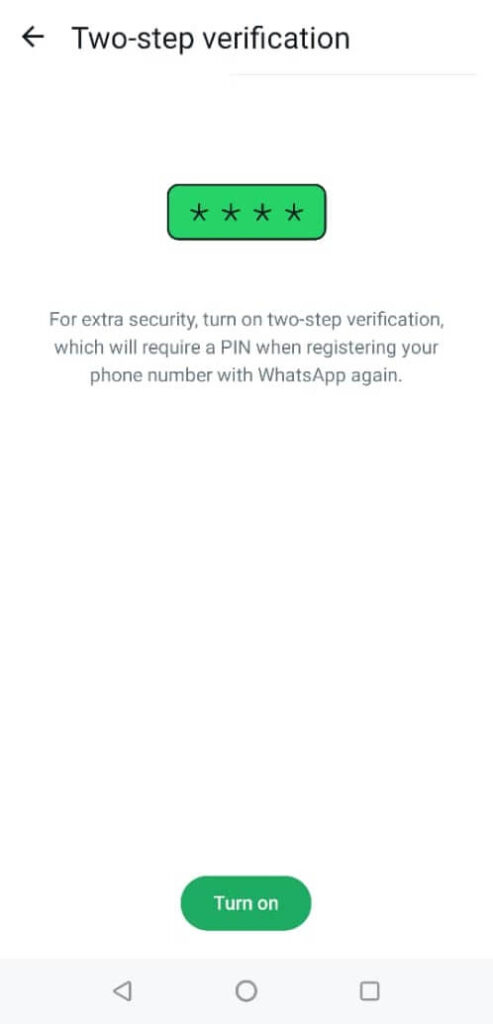
- Set up your PIN: Tap the “Turn On” or Enable” or “Set up” button to begin the setup process. You will be prompted to enter a six-digit PIN code.

- Confirm your PIN: Re-enter the six-digit PIN code to confirm or save it.
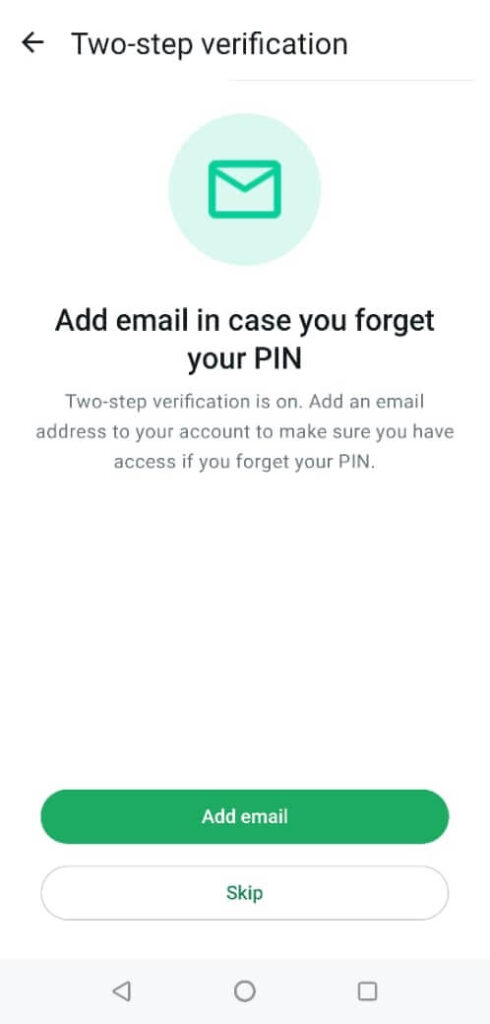
- Add an email address (optional): You will have the option to add an email address. This step is highly recommended, as it helps if you forget your PIN. If you add an email address, enter it in the provided field. Make sure it is a valid and secure email address.
Click here to learn about the benefits of having a custom or personalized email domain.
Please note: If you forget your PIN, there’s a 7-day waiting period before you can reset it. However, reset instructions will be emailed to you if you’ve already added your email address to WhatsApp.
Ensure the email is accurate and you can access it because WhatsApp doesn’t verify the email address you add. - Complete setup: Once you have entered your PIN and email address (if applicable), tap on the “Next” or “Continue” button to complete the setup process.


Activation complete: Two-step verification is now enabled for your WhatsApp account. You will be required to enter your PIN periodically to access your account.
Remember to keep your PIN and email address secure and avoid sharing them with anyone. Enabling two-step verification adds an extra layer of security to your WhatsApp account, helping to protect your personal information and prevent unauthorized access.
If you found the post worth sharing, kindly share it with friends.